# Consultando a Situação de Clientes e Produtos
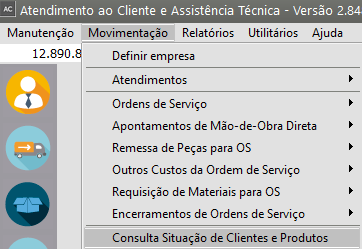
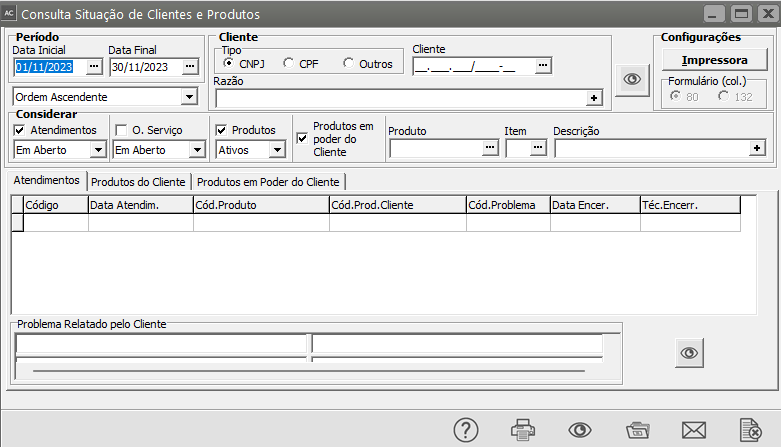
Para consultar a Situação dos clientes, acesse o menu **Movimentação/Consulta Situação de Clientes e Produtos**.
[](https://autoatendimento.grupoallegus.com.br/uploads/images/gallery/2023-11/5GFimage.png)
[](https://autoatendimento.grupoallegus.com.br/uploads/images/gallery/2023-11/n1Mimage.png)
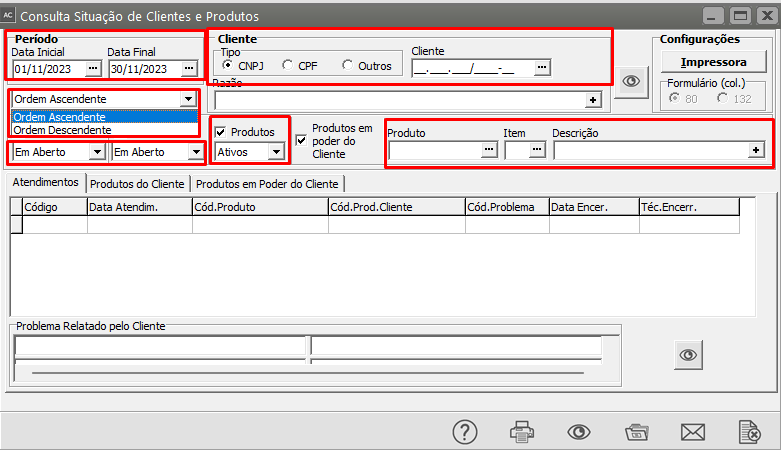
Informe:
- um **período**,
- a [**ordem**](https://autoatendimento.grupoallegus.com.br/books/ac/page/cadastrando-ordens-de-servico) de visualização e
- impressão dos registros,
- quais são os itens que devem ser considerados para a consulta,
- o [cliente](https://autoatendimento.grupoallegus.com.br/books/ac/page/cadastrando-clientes) e
- o [produto](https://autoatendimento.grupoallegus.com.br/books/ac/page/cadastrando-produtos-dos-clientes) que deve ser consultado (esta última informação não é obrigatória).
[](https://autoatendimento.grupoallegus.com.br/uploads/images/gallery/2023-11/zvXimage.png)
[](https://autoatendimento.grupoallegus.com.br/uploads/images/gallery/2023-11/TLtimage.png)
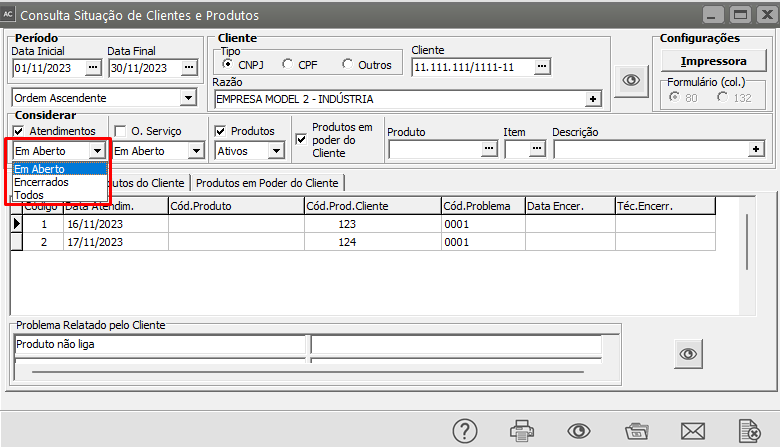
Para os [**Atendimentos**](https://autoatendimento.grupoallegus.com.br/books/ac/page/cadastrando-atendimentos) e as [**Ordens de Serviço**](https://autoatendimento.grupoallegus.com.br/books/ac/page/cadastrando-ordens-de-servico), podem ser selecionados somente os registros **em aberto** (sem data de encerramento), os **encerrados** (com data de encerramento preenchida) ou **todos**.
[](https://autoatendimento.grupoallegus.com.br/uploads/images/gallery/2023-11/SQpimage.png)
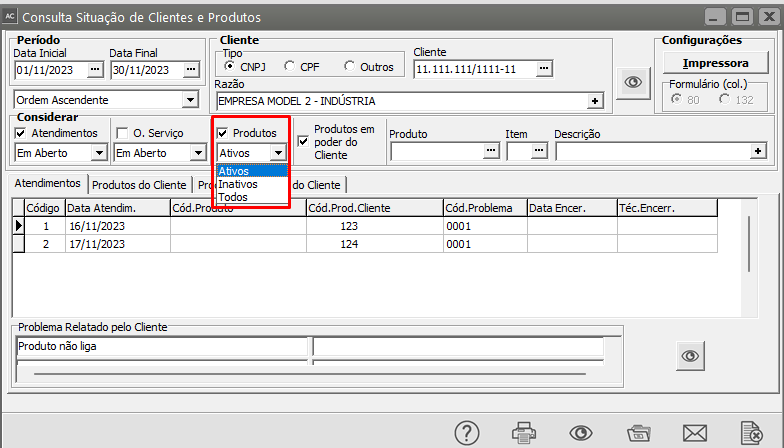
Para os [**Produtos do Cliente**](https://autoatendimento.grupoallegus.com.br/books/ac/page/cadastrando-produtos-dos-clientes), podem ser selecionados somente os produtos **ativos** (sem data de desativação preenchida), os **inativos** (com a data de desativação preenchida) ou **todos**.
[](https://autoatendimento.grupoallegus.com.br/uploads/images/gallery/2023-11/i6uimage.png)
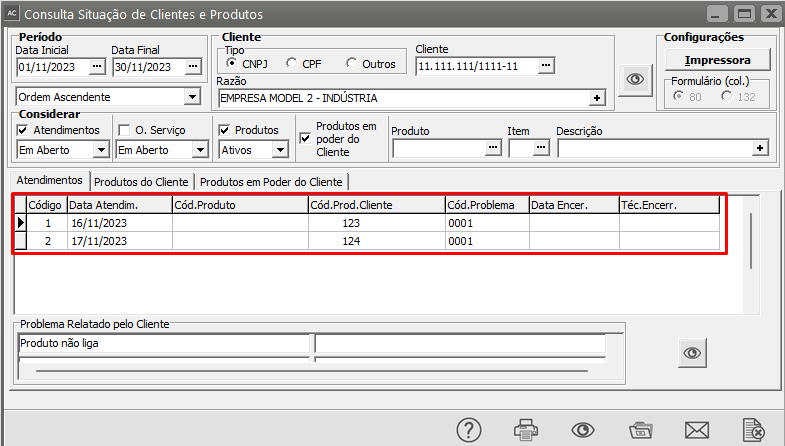
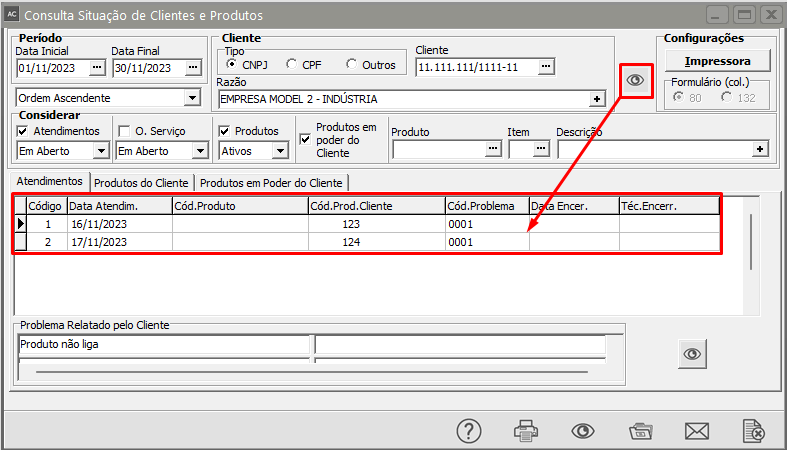
As abas a serem exibidas serão alternadas de acordo com sua opção de impressão.Pressionando os botões [ ](https://autoatendimento.grupoallegus.com.br/uploads/images/gallery/2023-11/gIjimage.png), você poderá visualizar o registro selecionado nas grades tanto de[ atendimentos](https://autoatendimento.grupoallegus.com.br/books/ac/page/cadastrando-atendimentos) quanto de [ordens de serviço.](https://autoatendimento.grupoallegus.com.br/books/ac/page/cadastrando-ordens-de-servico)
[](https://autoatendimento.grupoallegus.com.br/uploads/images/gallery/2023-11/y9fimage.png)
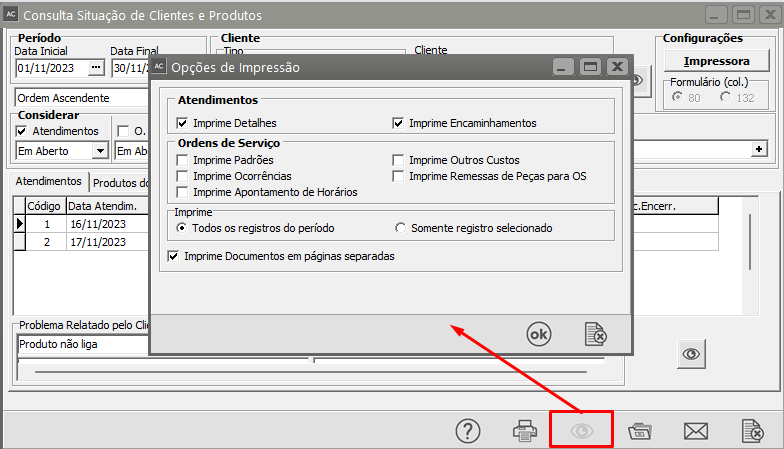
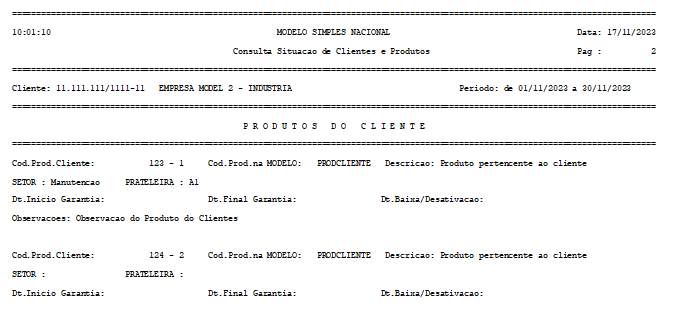
Ao pedir o preview ou a impressão, será exibida a seguinte tela:
[](https://autoatendimento.grupoallegus.com.br/uploads/images/gallery/2023-11/Mdeimage.png)
Nela você poderá selecionar:
- quais os conjuntos de informações que devem ser impressos,
- se imprime todos os registros do período ou
- somente o registro selecionado e
- se a impressão deve ser feita em páginas separadas.[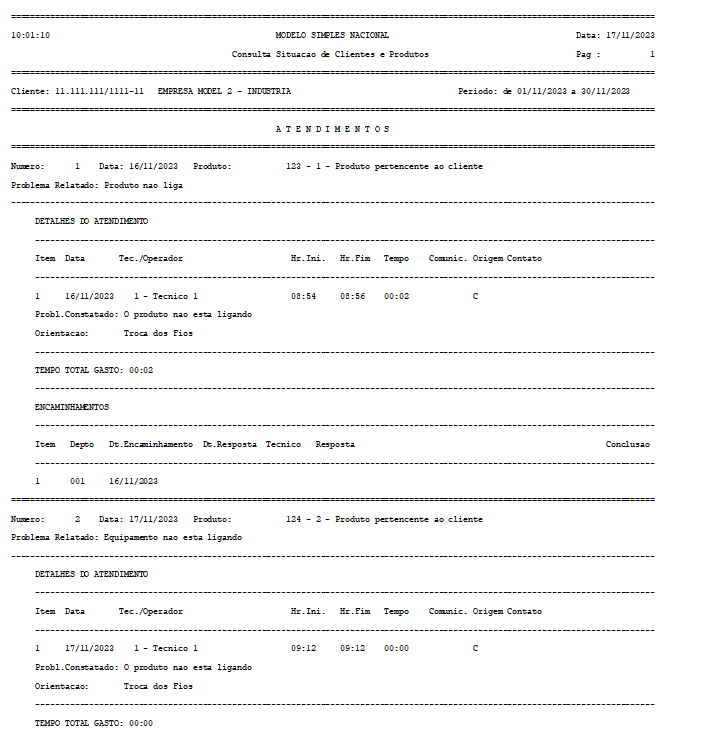](https://autoatendimento.grupoallegus.com.br/uploads/images/gallery/2023-11/uaIimage.png)
[](https://autoatendimento.grupoallegus.com.br/uploads/images/gallery/2023-11/Hyvimage.png)
**Veja também o item:**
- [Cadastrando Clientes](https://autoatendimento.grupoallegus.com.br/books/ac/page/cadastrando-clientes)
- [Cadastrando Produtos](https://autoatendimento.grupoallegus.com.br/books/ac/page/cadastrando-produtos)