# Cronometrando Atendimentos
Os horários de início e fim de cada atendimento podem ser opcionalmente registrados por meio do Cronômetro.**Registrando o Tempo do Atendimento**Ao acessar a aba Atendimentos do cadastro de atendimentos você encontrará o botão abre o cronômetro
[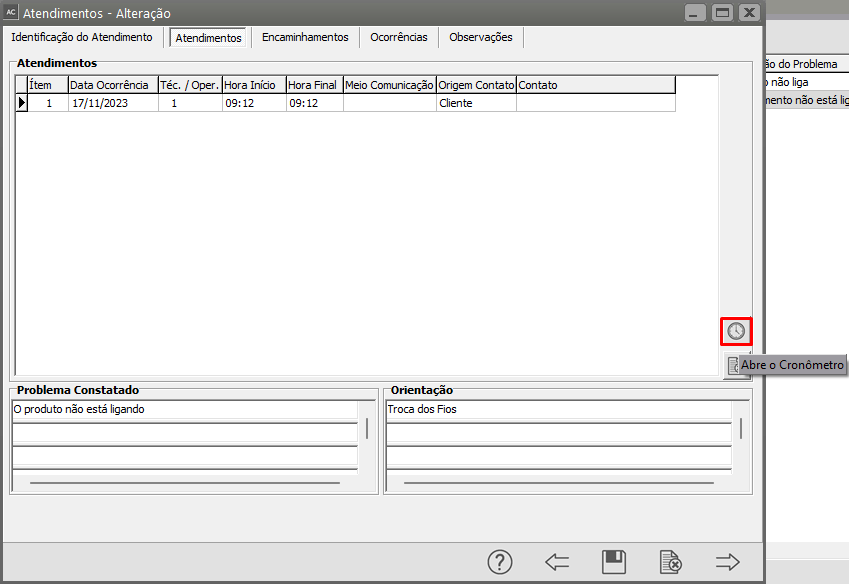](https://autoatendimento.grupoallegus.com.br/uploads/images/gallery/2023-11/GKlimage.png)
Quando o cronômetro for aberto ele começará marcar o tempo do atendimento automaticamente.
[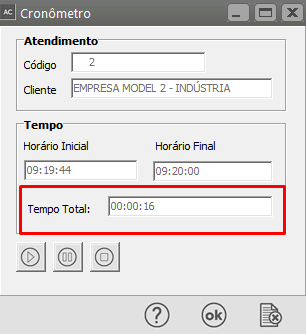](https://autoatendimento.grupoallegus.com.br/uploads/images/gallery/2023-11/qkaimage.png)
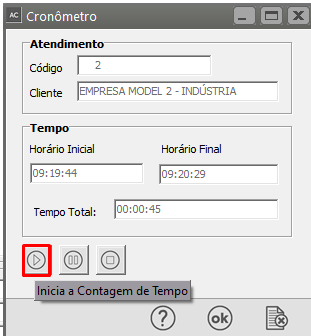
**Na parte inferior da tela você encontrará três Botões**:**a) Inicia a Contagem de Tempo** - O sistema irá iniciar uma nova Contagem de Tempo para o Atendimento
[](https://autoatendimento.grupoallegus.com.br/uploads/images/gallery/2023-11/yQcimage.png)
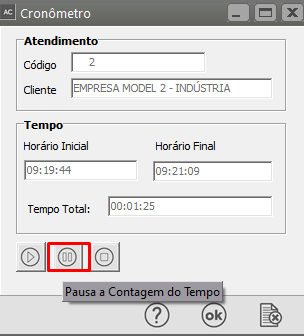
**b) Pausa** - O sistema irá pausar a contagem que está em andamento
[](https://autoatendimento.grupoallegus.com.br/uploads/images/gallery/2023-11/b7uimage.png)
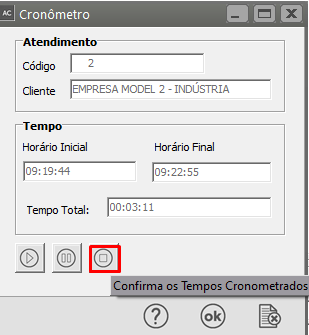
**c) Confirma** - O Sistema fechará o cronômetro e gravará todos os seus horários no atendimento que o chamou. O Botão OK tem essa mesma função
[](https://autoatendimento.grupoallegus.com.br/uploads/images/gallery/2023-11/cjOimage.png)
**Observações:**
- Vários cronômetros podem ser abertos ao mesmo tempo, desde que sejam de atendimentos diferentes.
- Após abrir o cronômetro não é necessário deixar a tela de atendimentos aberta.
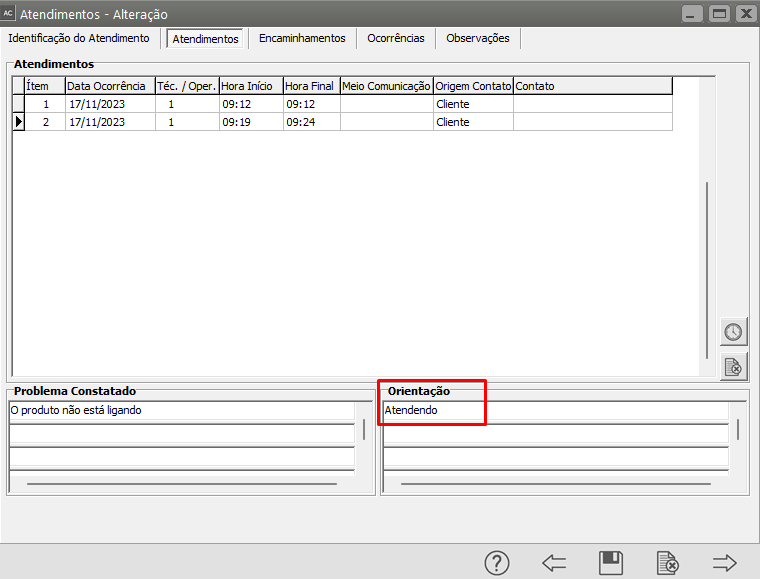
- Nos horários registrados pelo cronômetro, o campo Orientação irá receber "Atendendo", e poderá ser alterado manualmente depois.
[](https://autoatendimento.grupoallegus.com.br/uploads/images/gallery/2023-11/ITnimage.png)
**Veja também o Item:**
- [Cadastrando Atendimentos](https://autoatendimento.grupoallegus.com.br/books/ac/page/cadastrando-atendimentos)